RemoteSpark HUB | Requirements
- Windows Personal Computer with Administrator Access.
- Device at 30% or more battery life.
- No RemoteSpark version currently installed on the Device.
- Cable to connect to a PC (usually a USB C Cable).
- Sideload Package sent via Kognitiv Spark.
- OS already setup.
- RemoteSpark Organization Admin Credentials
RemoteSpark HUB | Installation Steps
- Before installing RemoteSpark through sideload, plug the device into the PC via the cable.
- Some devices a warning may appear that states “Allow USB Debugging? The computer’s RSA key fingerprint is: __”.
- To remove the warning permanently for this computer, select the check box for always allow from this computer.
- Next select ALLOW.
- On the computer, unzip the MDM package.
- In the unzipped folder, run the script by double clicking “install.bat”.
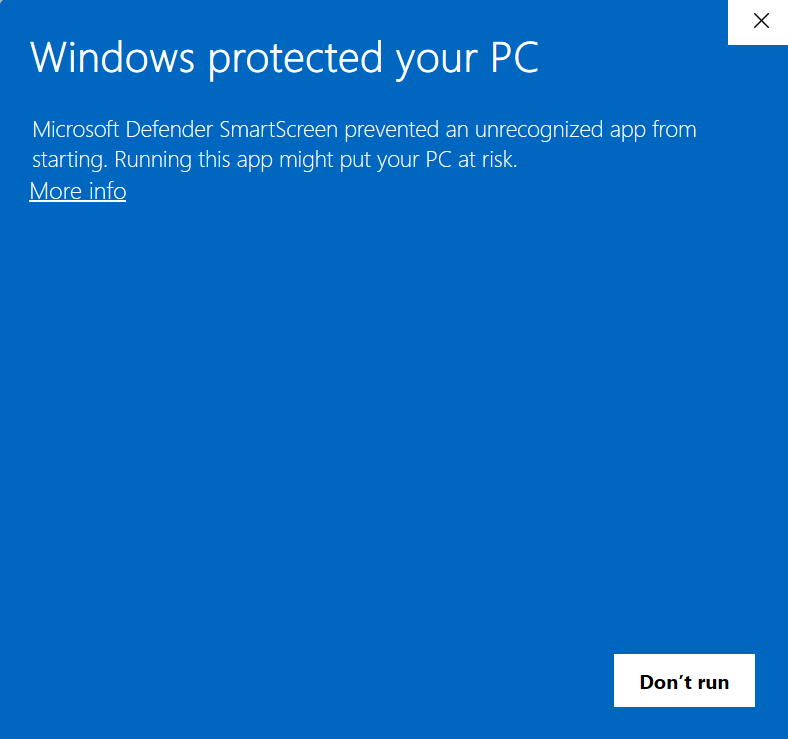
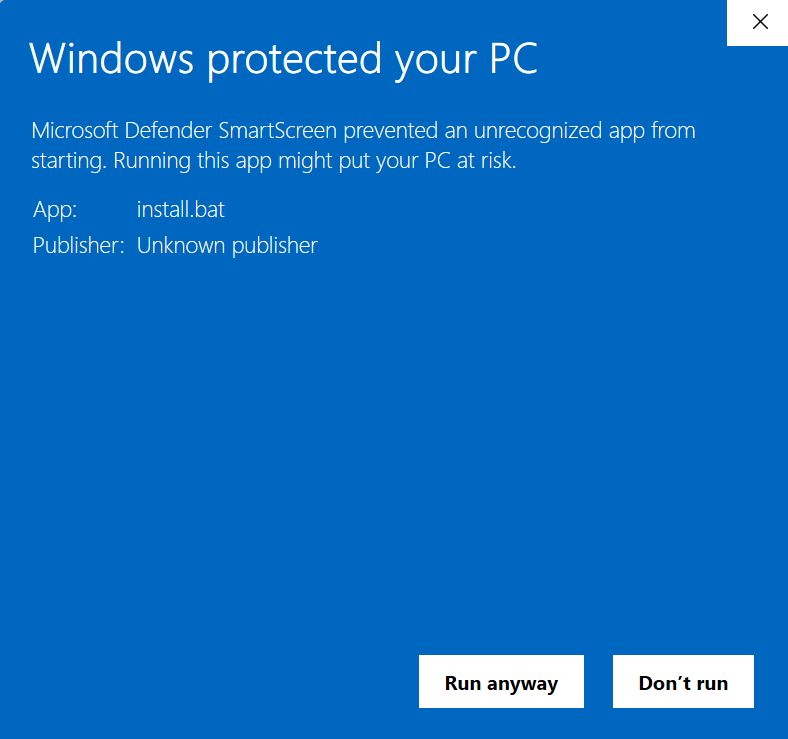
- A Windows pop up will appear titled “Windows Protected your PC”, select More Info > Run Anyway.
 |  |
- If this is the first time running the script, an administrator access login will be required.
- Once script is finished running. RemoteSpark can be found in the apps section of your device.
Once the MDM is installed, an application called RemoteSpark HUB can be found on the device.

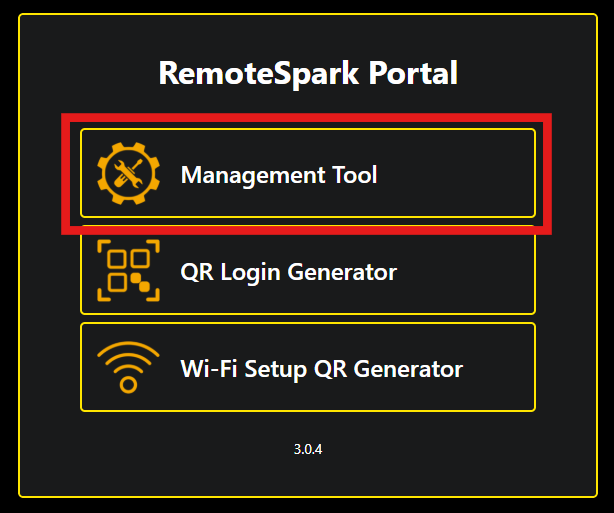
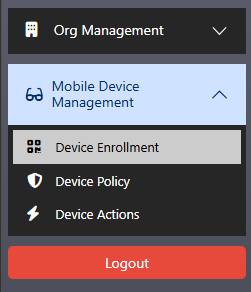
Before continuing with the application, please visit REMOTESPARK PORTAL to prepare a QR code to enroll the device. Select Management Portal, and login using the organization admin credentials. On the left hand side select Mobile Device Management, then Device Enrollment.
 |  |
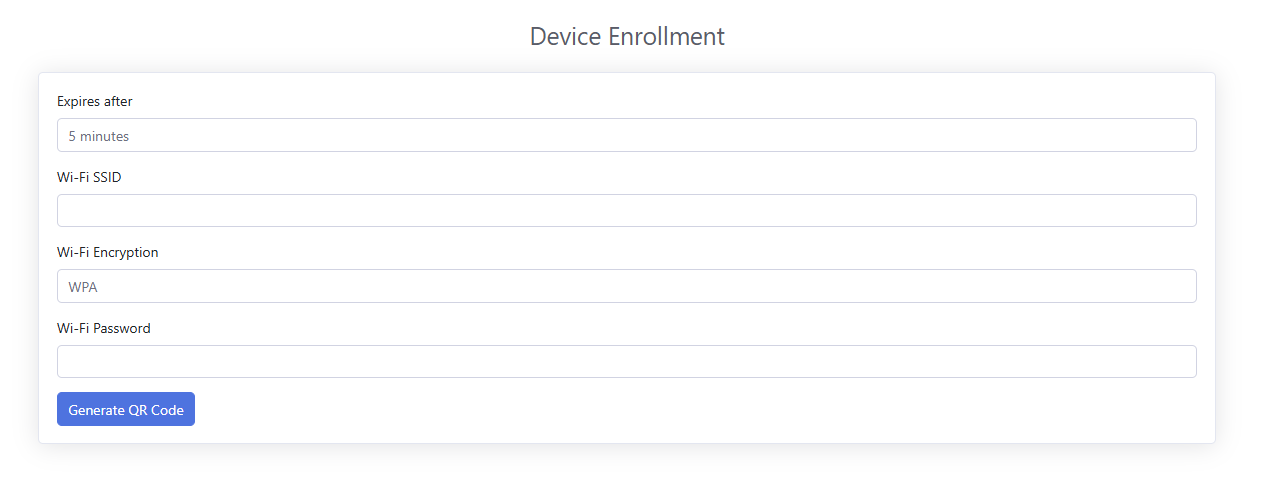
On the following page fill out the enrollment information. Set an expiration time, for Wi-Fi SSID fill in the name of your Wi-Fi, select the encryption then put in the Wi-Fi Password. Once all the information has been provided select the Generate QR Code button and the portal will generate a QR to be scanned on the devices.
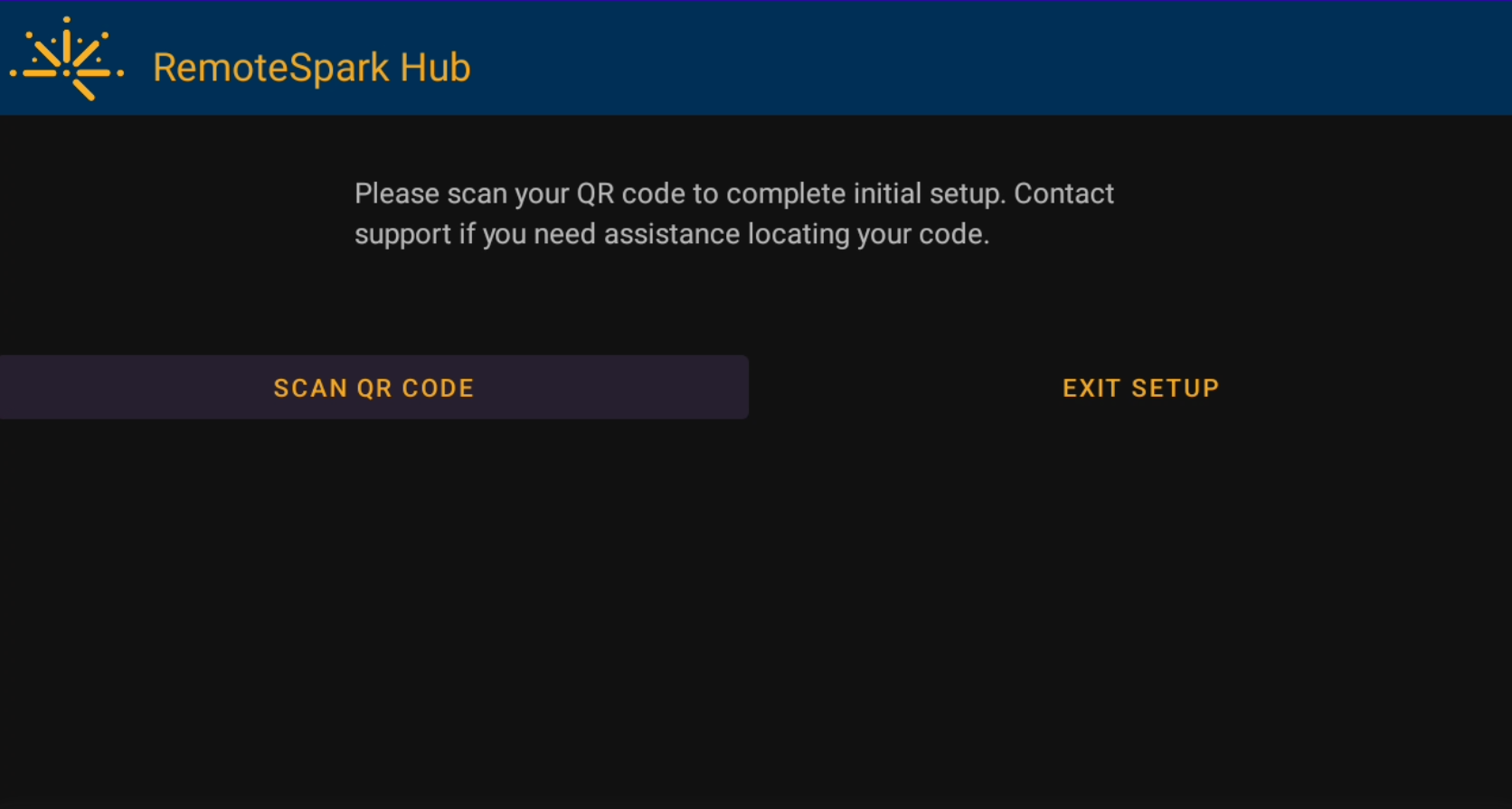
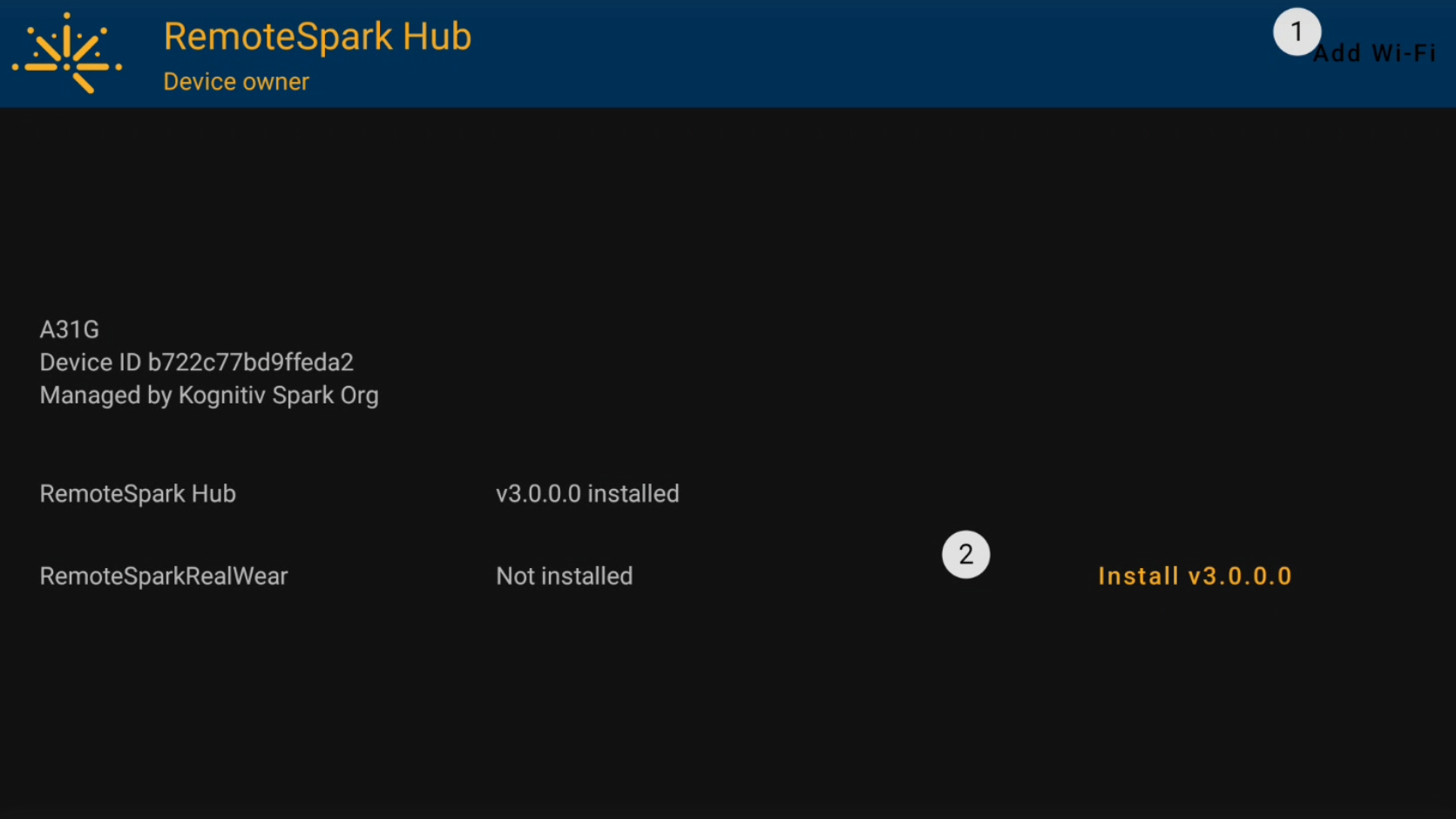
On the device open RemoteSpark HUB and select Scan QR Code. The device will preview the front camera, simply scan the QR code that was generated in the previous step and RemoteSpark HUB will remove a license and set the device up ready for RemoteSpark to be installed. RemoteSpark HUB will then show the available installs for the current device.
Was this article helpful?
That’s Great!
Thank you for your feedback
Sorry! We couldn't be helpful
Thank you for your feedback
Feedback sent
We appreciate your effort and will try to fix the article